
Security is definitely the least of the worries for iPhone users, whether they pay online or have an account on social media. iOS has the most reliable operating system, and there is no chance of data breaches at all. Many millions of Apple device users depend upon its user interface for sharing and saving their personal information, which they need to secure.
The security infrastructure that is impermeable to hackers on iOS devices is not a secret since the App Store has a highly specific policy regarding mobile apps. The market share of iOS will be 29.75 percent in 2023, which is less than that of those running the Android operating system. However, it is still thriving thanks to its popularity with users.
The App Store produced more than $85 billion in 2021, primarily from popular categories like education, games, business, lifestyle, and entertainment. iOS apps are popular with regard to user security and an interface that monitors user engagement. Every iOS app development company known for its high-quality apps will employ some tools to design and develop these applications.
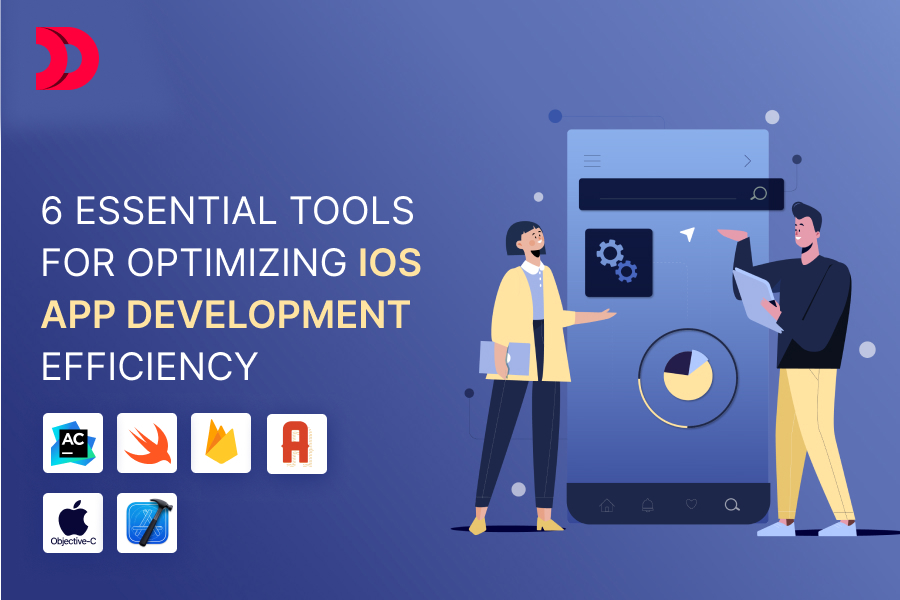
In this article, we will examine the iPhone application tools and techniques utilized in the creation and development, as well as the testing and documentation of iPhone applications.
Preferred iOS App Development Tools Utilized by Prominent Agencies in Canada
1. XCode
Apple Inc. recently unveiled an integrated development environment (IDE), or integrated development environment, which enables developers to build apps for iPhones, iPads, Apple TV, wearables, and MacBooks using tools that support the development and testing of apps as well as managing data and resources.
Feature Highlights
Source Editor and Asset Catalog are combined to create an extremely manageable app with cold-folding display warnings as well as image grouping and message bubble setup.
Open Quickly is an essential feature of the XCode IDE to open the file instantly and initiate an app modification. This is a great arrangement for workflows that are based on keywords.
The top experts recommend it to iOS application development services in order to detect coding errors and spelling mistakes by using Live Issues, which in turn speeds up the process of developing and delivering apps.
2. Swift
Swift, in contrast to XCode IDE, is an open-source programming language influenced by Python, which was developed by Apple to build premium native applications exclusively to work with iPhones as well as Apple laptops. Swift permits iOS developers to build new software that is compatible with extensions that are binary, as well as variable initialization security functions and dynamic library libraries. Its constantly evolving interface allows for new and innovative design within the iOS ecosystem.
Feature Highlights
Swift is supported by LLVM technology, which has an existing library, allowing iOS programmers to code quickly.
The programming language provides modernized widgets with APIs that are simple to modify and maintain when developing XCode applications.
Native error handling is a way of catching and propagating code errors throughout the course of.
3. Objective-C
Are you hiring iOS developers who have experience with Objective-C? If this is the case for your business, then Objective-C could be key in providing security and effectiveness to applications. Furthermore, data concealment and encapsulation are some of the factors that motivate an iOS app development company to incorporate them into iPhone app development projects.
Feature Highlights
Integration ease with C++ is one of the main advantages of making use of Objective-C for iOS application development services since it provides users with access to C++ libraries.
It could also serve as a legacy codebase, streamlining the maintenance and updating of iPhone apps efficiently.
The interoperability of Objective-C and Swift is the basis of successful projects. In this way, the code is migrated with care to ensure interoperability and customization.
4. AlamoFire
AlamoFire is a free-of-cost networking library designed for applications that are developed using Swift. This iOS application development tool is well-known for its simple and easy API that helps keep the complexity of network communications at bay when working on the project. Let’s look at its strengths that boost your performance in iPhone applications.
Feature Highlights
In addition to the ease of access and security, security is the primary benefit of AlamoFire because it allows SSL certificate pinning for secure transmission of data.
JSON handling and error management are two advantages that help simplify the development process. They also help to quickly fix every network-related issue.
This iOS application development tool has been built to allow asynchronous operation, which can interfere with any flow in UI threads.
5. AppCode
AppCode is among the most popular iOS application development tools that Apple Inc. itself did not develop. It’s an integrated development environment introduced in the IT domain by JetBrains to simplify code analysis and refining. Let’s find out the reasons iPhone companies that develop applications use the iOS tool.
Feature Highlights
AppCode is well-known for its intelligent code navigation that is based on context. The execution of code as well as quick documentation search speed up the speed and efficacy that come with iOS app development.
Integration of version control is an important feature of this IDE that works with systems such as SVN and Mercurial to provide a better understanding of version management in code.
A well-designed plugin ecosystem that is integrated with debugging and testing frameworks can be considered the root of code efficiency.
6. Firebase
Firebase is a widely used BaaS (backend as a service) platform, renowned for its broad assortment of tools and widgets to develop mobile apps. iPhone app development companies choose Firebase to create native iOS applications in a rapid timeframe. Since Firebase’s introduction in 2014, it has quickly become one of the go-to tools for iOS software and app development.
Feature Highlights
Real-time databases are the primary benefit of Firebase since they ease storage and data synchronization within the application.
It is an iOS tool extensively employed for maintaining mobile apps because of its rapid reporting of crashes. Issues with bugs can be quickly addressed to preserve the app’s performance with Firebase.
Firebase has a separate SDK that allows cloud storage. This helps minimize performance issues while also recovering contents like images, text, and videos.
Selecting the Right iOS App Development Tools for Your Application: A Guide
An iOS app development effort requires the appropriate selection of software to create a fully functional and profitable application. There are design tools like Figma and In Vision that help ease the process of wireframing and prototyping. A renowned iOS agency for developing apps is not only using it to design app mock-ups but also to design a user flow.
Selecting the ideal framework can be daunting without prior experience with these tools and frameworks, since different design, testing, and development tools suit different kinds of applications. To find which one will provide your company with optimal results, it is crucial to work with a team of iOS specialists knowledgeable of a range of apps.
Devstreeca has been crafting powerful apps and software since 2013. As industry leaders and one of Canada’s premier iOS app design and development firms, we aim to push user engagement with our innovative methods. In order to develop an effective strategy for your app, we start our development process by conducting a user analysis session. For more information regarding our iPhone App Development Service, please reach out today!