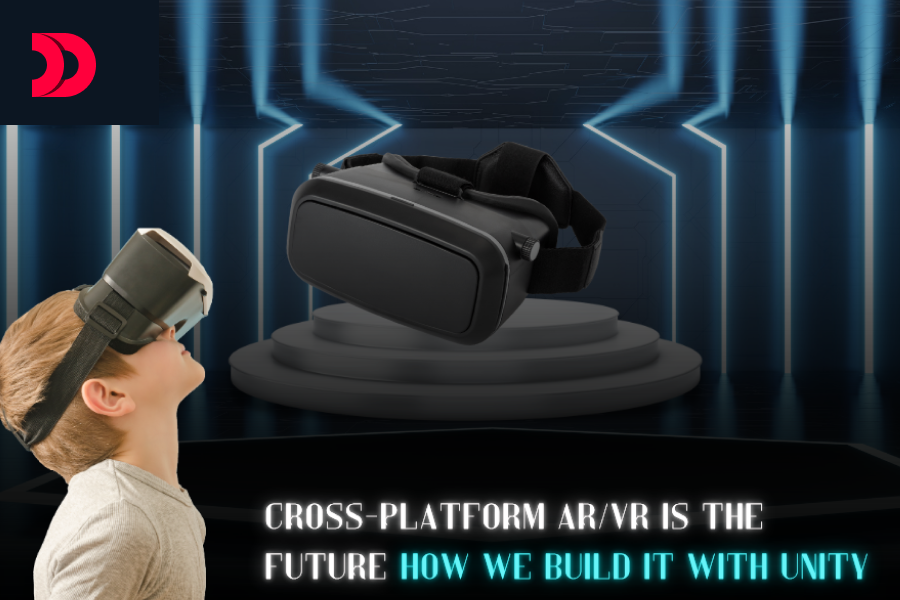
Augmented Reality (AR) and Virtual Reality (VR) are transforming industries, from gaming and entertainment to education, healthcare, and enterprise training. As AR/VR adoption grows, the demand for seamless, cross-platform experiences is becoming critical. Users expect applications to work effortlessly across devices—whether it’s a high-end VR headset like the Oculus Quest, an AR-enabled smartphone, or even a web browser. Unity, a leading game development engine, is at the forefront of making this vision a reality. If you’re looking to hire a game developer or partner with a Unity game development company, this blog will explore why cross-platform AR/VR is the future and how developers can leverage Unity to build these immersive experiences.
The AR/VR ecosystem is fragmented. Devices like the Meta Quest, Apple Vision Pro, HoloLens, and countless mobile devices each have unique hardware capabilities, operating systems, and input methods. This diversity poses a challenge: how do developers create consistent, high-quality experiences without building separate apps for each platform? For businesses aiming to hire an AR developer or hire a VR developer, cross-platform solutions are key to maximizing reach and efficiency.
Cross-platform AR/VR solves this by enabling a single codebase to deploy across multiple devices, offering several benefits:
The future of AR/VR lies in accessibility and interoperability. Unity, with its robust tools and ecosystem, is uniquely positioned to help developers and game development companies achieve this.
Unity is a powerful engine for AR/VR development, supporting a wide range of platforms, including Oculus, HoloLens, ARKit (iOS), ARCore (Android), and WebXR for browser-based experiences. Here’s a step-by-step guide to building cross-platform AR/VR applications with Unity, ideal for those looking to hire a game developer skilled in immersive technologies:
Set Up Your Unity Project
Start by creating a new Unity project with the appropriate settings for AR/VR development:
Use Unity’s XR Interaction Toolkit
Unity’s XR Interaction Toolkit is a key component for cross-platform development. It provides a unified API for handling inputs, interactions, and locomotion across AR/VR devices, making it a go-to tool for any Unity game development company.
Optimize for Multiple Platforms
Performance varies significantly across AR/VR devices, from powerful PCs to resource-constrained smartphones. To ensure smooth experiences, optimize your project, a critical skill for those you might hire as an AR developer or VR developer:
Leverage AR Foundation for Mobile AR
For mobile AR, Unity’s AR Foundation provides a cross-platform framework that abstracts ARKit and ARCore. This allows you to build AR experiences that work on both iOS and Android with minimal changes, streamlining workflows for any game development company.
Support WebXR for Browser-Based Experiences
WebXR enables AR/VR experiences directly in web browsers, making them accessible without app downloads. Unity supports WebXR through its WebGL build target, a valuable feature for developers you might hire for VR development:
Test and Iterate
Cross-platform development requires rigorous testing to ensure compatibility and performance, a key responsibility for any Unity game development company:
Deploy and Maintain
Once your app is ready, deploy it to the appropriate stores (e.g., Oculus Store, App Store, Google Play, or a web server for WebXR). Use Unity’s Cloud Build to automate builds for multiple platforms. Post-launch, monitor analytics and user feedback to release updates that address issues and add features, ensuring a seamless experience for users.
While Unity simplifies cross-platform AR/VR development, challenges remain:
As AR/VR technology evolves, cross-platform development will become even more critical. Emerging standards like OpenXR, supported by Unity, promise greater interoperability across devices. Additionally, advancements in cloud streaming and 5G will enable high-fidelity AR/VR experiences on low-powered devices, further democratizing access. For businesses looking to hire an AR developer or hire a VR developer, investing in Unity expertise is a strategic move.
Unity is well-positioned to lead this charge, with its extensive platform support, active community, and growing ecosystem of tools like AR Foundation and the XR Interaction Toolkit. By mastering these tools, developers and game development companies can create immersive, accessible AR/VR experiences that reach users wherever they are.
Cross-platform AR/VR is not just a trend it’s the future of immersive technology. With Unity, developers have the tools to build scalable, high-quality applications that work across headsets, smartphones, and browsers. By leveraging Unity’s XR Interaction Toolkit, AR Foundation, and WebXR support, you can create experiences that are accessible, engaging, and future-proof. Whether you’re looking to hire a game developer or partner with a Unity game development company, now is the time to start building. Join the AR/VR revolution today!