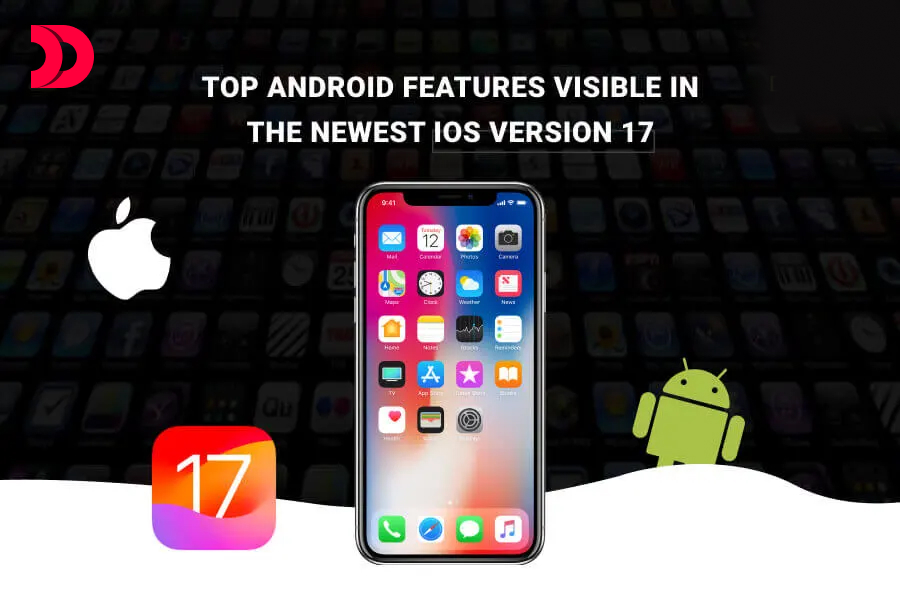
The iPhone was on the market long before Android’s initial smartphone. Nonetheless, each iOS update appears to open a fresh door to technical options and possibilities, immersing consumers in an entirely new universe.
We can also observe that each successive version of iOS incorporates a few functionality from the Android OS. And now, iOS 17, which is no exception, has taken tens of features from Android. Apple is now beta-testing its next version with developers; it will be ready to customers by July. Users may be able to view the official release by September. The iPhone’s features are derived from Android. There are several opportunities for iOS app development firms, since new features are continuously being implemented on iOS 17 and will be available on MacOS and iPadOS 17.
1. Real-Time Voicemail
Apple iOS 17 introduces new features such as live voicemail, which provides iPhone users with a real-time transcription of voicemails from friends, family, and unknown callers. The iPhone already relies on spam calls, which are immediately rejected by support carriers. The transcriptions that show over the call screen are sent to voicemail to determine whether or not the call is answered.
The same thing can be observed in Android; in 2018, this function was available in Android smartphones. Incoming calls may be translated using Android capabilities in Google’s phone app. This implementation differs significantly from the standard voicemail at. To authorise the call screen, a screen calling message shows over the calls.
2. Maps that can be used offline
Apple Maps is getting a major update for iPadOS and iOS, allowing users to download offline maps on their iPhone or iPad. Before going on a walk, users can download it on their phone in order to survive even in areas with limited internet. This feature is significantly more straightforward than the standard performance where maps are eliminated.
For numerous years, Apple Maps has supported the map with turn-by-turn instructions, location rating, business hours, and other situations of the streets and ring roads with the forthcoming software. Google Maps has provided offline maps since 2011, at the very least. Since 2013, Google Maps has also been available for iOS.
3. DropName
AirDrop is a simple way to transfer data across Apple devices such as iOS, iPadOS, and MacOS. With the name drop in iOS 17, Apple may quickly transfer contact cards in a single step. This will boost iPhone app development services since all consumers require is to put the two devices closer together. Users can participate in a shared play for material such as games, videos, movies, and music.
With the Android beam, Google provided a similar feature to Android in 2011. When the contact card is open, anyone may exchange material by tapping against the back. Android beam has been deprecated as an operating system feature and has been superseded by nearby share; nonetheless, it is still available to API developers through the near field communication (NFC) connectivity.
4. FaceTime Message
Facetime has been included as a much-needed feature to iOS 17 and the rest of the versions released up to this point. When a person does not receive a phone call, Apple customers can leave video or audio messages using Facetime. Video effects function just as they do in regular Facetime. The nicest aspect is that the messages can be played on the Apple Watch.
Google, too, has implemented the same form of video or voice message exchange via the Google Duo programme. When the receiver does not answer the phone, the message may be quickly shared via Google Duo. Google Duo has now combined with Google Meet, and video audio conversations are now available in the same applications, making it easier to schedule meetings.
5. Multiple Siri Requests
Users will be able to send Siri back-to-back requests in the future iOS and iPadOS version 17. It includes the most recent features in the new version, such as hello siri or Siri, which rapidly activates the assistant on the smartphone.
Since 2018, when Google enabled multiple dialogues and actions, Android mobile app development companies have had the capability. Saying hey google or google works for the Google Assistant; in this case, the initial command must always begin with google. In addition, answering a phone call or pausing a timer does not need the use of any language to engage with the assistant.
6. Keep an eye out
Starting with iOS 17, the charging positions on the iPhone instantly modify its standby and information sharing functions. The glance comprises a variety of widgets like clocks, photographs, alarms, and so on. The layout is very customisable, with live activity, Siri, and the night light option enabled.
While in charging mode, Android also features a screen saver. The screen saver lowers the need to switch on the phone for any sort of activity, allowing the phone to charge in the shortest amount of time feasible. Using the screen saver, you can easily set clocks, change colours, and rotate photographs. However, Apple’s incorporation of live activities and Siri assistance is far more amazing.
7. Auto-Generated Pet Album
People in the gallery’s album images for iPhone, iPad, and Mac may recognise faces and divide the picture accordingly. This makes it easy to discover the person’s photographs from hundreds of possibilities. This filter is based on AI and serves as a handy filter for quickly finding images. The pet scanning capability is also available in iOS 17, iPadOS 17, and macOS. The images of the dogs are now kept separate in the album.
The same capability was found in the Google Photos for Android, Web, and iOS app development version in 2018. It makes it simple to look for photographs of pets and humans. One may also filter photographs based on locations and objects.
Conclusion
Many of the features may be found on Google’s Pixel smartphones. Starting with the Google Assistant, anybody will be able to effortlessly track any action in Google. A pop-up widget displays the current activities; swiping across the widget returns you to the top of the options. Google also replicates functionality from iOS. For example, Android 14 will replicate the lock screen and wallpaper customer from iOS 16, as well as locate my app capability from Apple.